PDF On
Scan, fill in, sign. Everything stays on your iPhone.
 Free · iOS 17 or later · No account
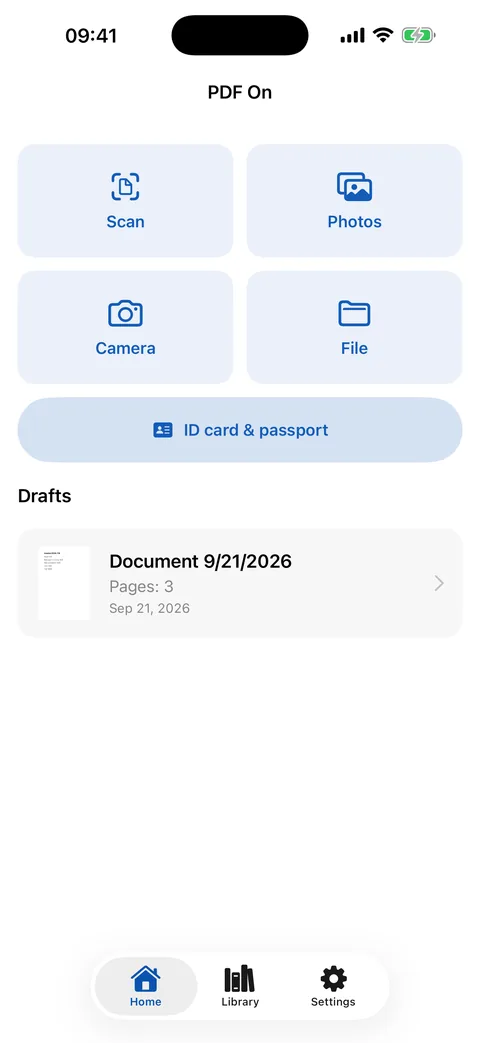
PDF On is a free PDF scanner and editor for iPhone. It turns paper into clean PDFs, fills in forms (real PDF forms and photographed or scanned ones), places your signature and passport photo, copies an ID card or passport front and back onto one sheet in true size, converts Word, Excel and PowerPoint files to PDF, recognizes text offline and lets you highlight while reading. No account, no upload, no ads, no subscription.
When PDF On helps
- You received a form as a PDF or on paper and have to fill it in, sign it and send it back today, from your phone.
- A landlord, bank or employer wants a copy of your ID card or passport, both sides, and it should look like a proper photocopy.
- You need to send a signed contract, a job application with your photo, or a scanned receipt, as one clean PDF with a sensible file name.
- You want to read a long PDF, mark the important lines and get all your highlights as a list.
- You do not want a scanner app that needs an account, a subscription or uploads your documents to somebody's cloud.
What PDF On can do
Scan and create PDFs
Scan documents with automatic edge detection, or take a photo and let the edges be found and straightened. Build PDFs from photos, files and other PDFs; choose page size, layout (1, 2 or 4 per page) and quality; add date and time stamps; protect with a password.
Fill in any form
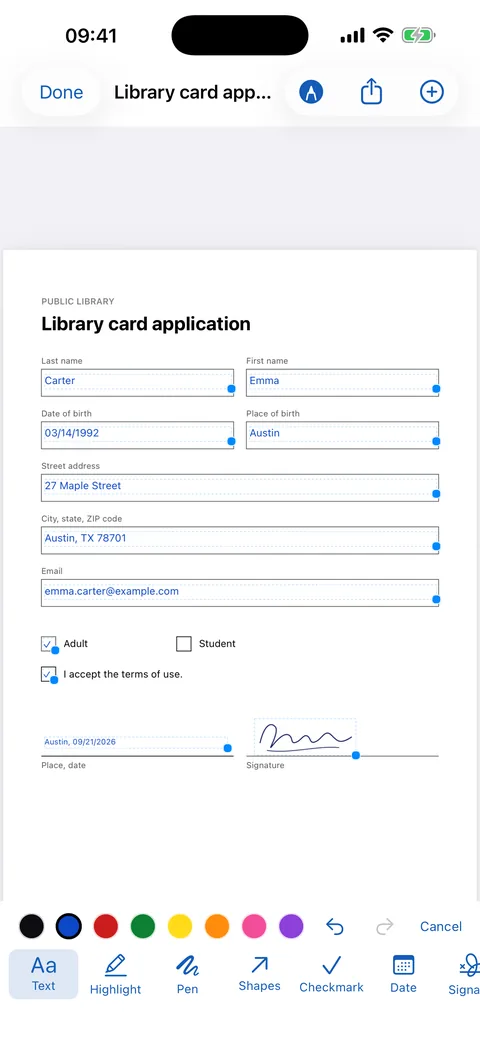
Tap a field and type: the text lands inside the box, on the line. Return jumps to the next field, checkmarks snap into checkboxes, dates follow the form's format. Works with real PDF forms and with photographed or scanned ones. Your name, address and phone appear as suggestions above the keyboard (Settings › My details).
Sign and add your photo
Sign with your finger, or photograph your signature on paper; it lands over the signature line. A passport photo goes into the photo frame of an application form, found automatically.
ID card & passport copy
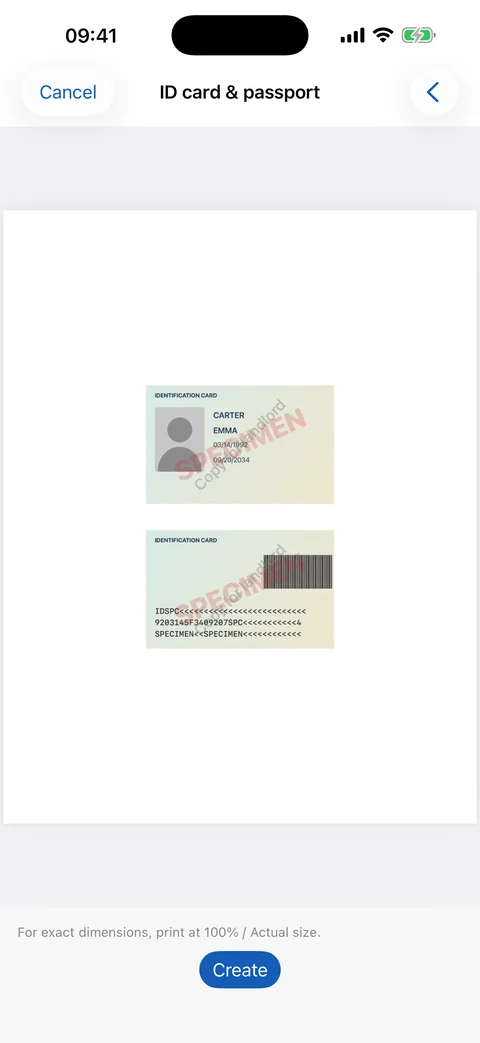
Front and back on one sheet in true original size, optionally enlarged, in color or grayscale, with cut lines and a watermark such as “Copy for landlord”.
Text recognition, offline
On-device OCR makes scans searchable. Copy the text, search inside the document, or export it as a Word document (.docx).
Read and highlight
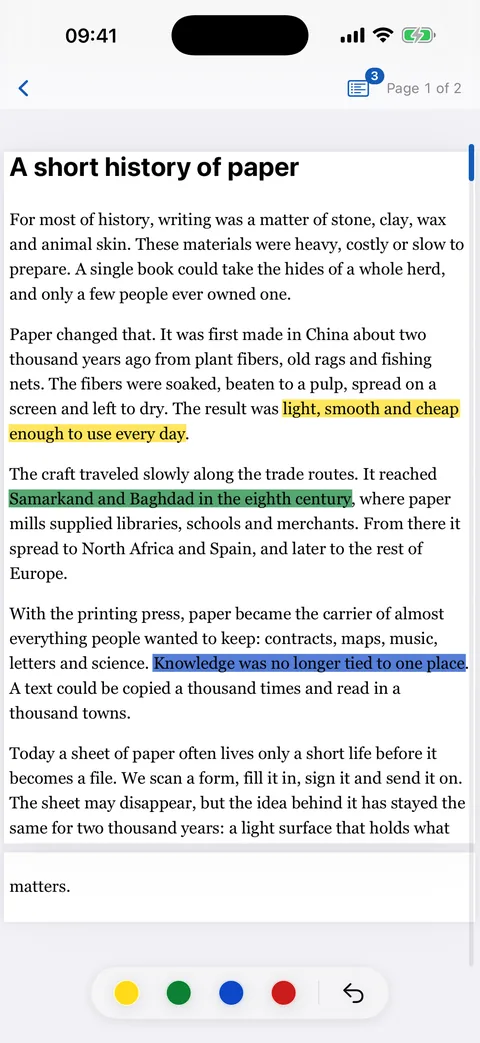
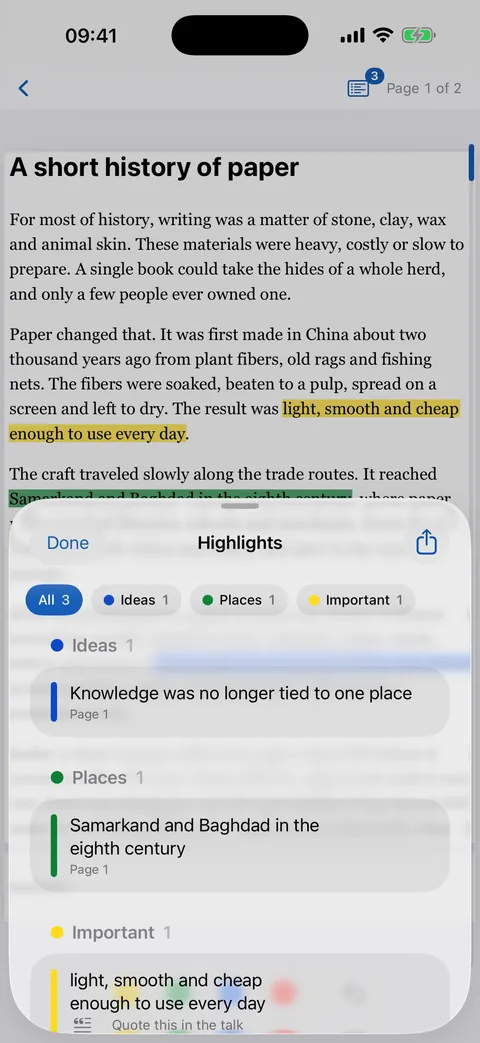
Full-screen reading mode with trimmed margins. Highlight with one swipe in four colors, name your colors, add notes, jump to any highlight from the list and share them as text. The app remembers where you stopped.
Manage pages
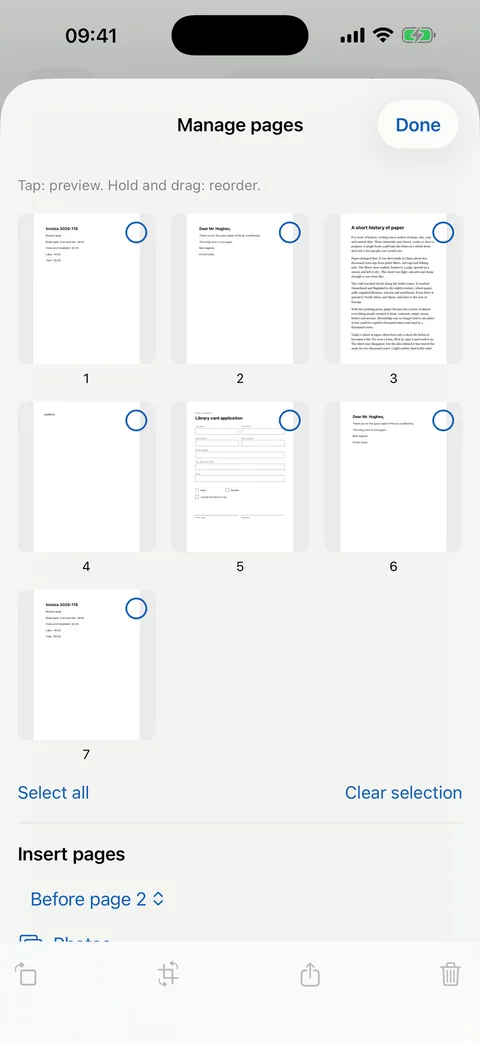
Reorder, rotate, crop, straighten and delete pages. Merge PDFs, insert scans, photos or other PDFs. Convert Word, Excel, PowerPoint, Pages, Numbers, Keynote, text and HTML files to PDF.
Private by design
Works fully offline. No account, no ads, no tracking, no data collection. Optional app lock with Face ID. Share extension: send photos and PDFs from other apps to PDF On.
Screenshots
How it works
Capture
Scan a document, pick photos, or open a PDF or Word file.
Fill in and sign
Tap, type, set checkmarks, sign. Your details are one tap away above the keyboard.
Share
AirDrop, Mail, WhatsApp or any app, with a proper file name. Your PDFs stay in the library on your iPhone.
Privacy in one sentence
No account, no server of ours, no ads. Everything, including text recognition, is computed and stored on your iPhone; a document leaves the phone only when you share it yourself. Read the privacy policy
Frequently asked questions
Is PDF On free?
Yes. PDF On is free, without ads, without an account and without a subscription.
Can I fill in a PDF form that has no real form fields, for example a scanned or photographed form?
Yes. Tap the box on the page and type; the text is placed inside the box, on the line. Return jumps to the next box, checkmarks snap into checkboxes. Real PDF forms with fields work too.
How do I copy my ID card or passport, front and back, on one page with my iPhone?
Open PDF On › ID card & passport, photograph the front and the back. PDF On places both on one A4 or Letter sheet in original size, optionally enlarged, in color or grayscale, with cut lines and an optional watermark such as “Copy for landlord”.
How do I sign a PDF on my iPhone?
Open the PDF in PDF On, tap Edit and choose Signature. Draw it with your finger, or photograph your signature on paper; the background is removed and the signature lands over the signature line. Saved signatures can be reused.
Are my documents uploaded anywhere?
No. PDF On has no server. Scanning, text recognition and face and frame detection run on the iPhone. A document leaves the phone only when you share it yourself, for example by AirDrop, Mail or WhatsApp.
Does PDF On have OCR and does it work offline?
Yes. Text recognition runs on the device with Apple's Vision framework, without internet. Recognized text can be copied, searched and exported as a Word document (.docx).
Can PDF On convert Word, Excel or PowerPoint files to PDF?
Yes. Open a Word, Excel, PowerPoint, Pages, Numbers, Keynote, text or HTML file in PDF On and it becomes a PDF, on the device.
Which iPhones and languages?
Every iPhone with iOS 17 or later. The app speaks 46 languages, among them English, German, Spanish, Turkish, Arabic, Persian, Urdu, French, Italian, Portuguese, Hindi, Japanese, Korean and Chinese, with full right-to-left layout for Arabic, Persian and Urdu.
Free · iOS 17 or later · No account